Company Settings
The Company Settings page allows you to view and update all key information about your business. With a clear side menu, you can easily navigate through sections such as legal info, contact details, logo, and other customizable settings.
Video: your business identity
Section titled “Video: your business identity”Video: make your business reachable
Section titled “Video: make your business reachable”Sidebar Navigation
Section titled “Sidebar Navigation”The sidebar gives you quick access to the following sections:
- My Company – Overview of general company information
- Legal Info – Legal and administrative details
- Contact Info – Address, phone number, email, etc.
- My Logo – Upload or update your company logo
- Documents – Legal notices, terms & conditions, VAT settings
- Invoices – Invoice-specific settings and layout
- Quotes – Quote configuration and templates
- Signature – Auto-signature settings for documents
- Emails – Customize outgoing email content
- Taxation – Define applicable tax rules
- Payments – Set up payment terms and methods
Mobile Display
Section titled “Mobile Display”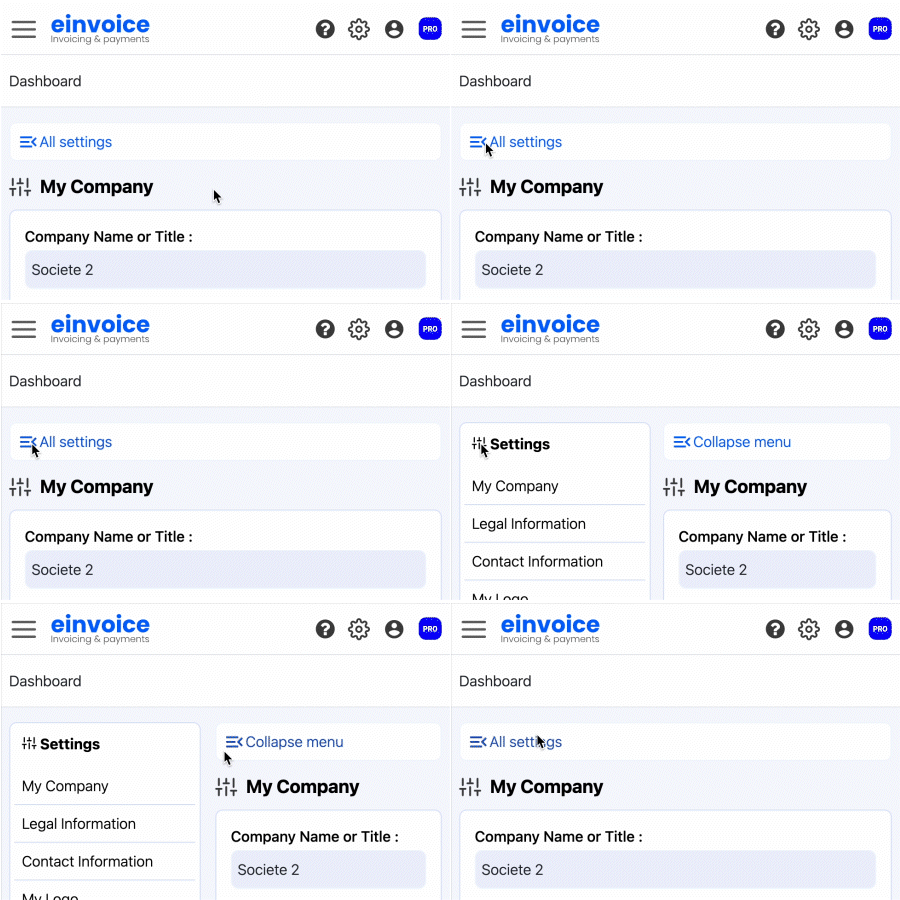 On mobile devices, the sidebar is hidden by default for a cleaner layout. You can toggle it using the **"All settings"** button, and hide it again once you’ve made your changes.
Available Actions
Section titled “Available Actions”In each section, you can:
- Edit specific company details
- Easily navigate across different settings via the sidebar
- Return to the main company overview at any time